Quick Answer
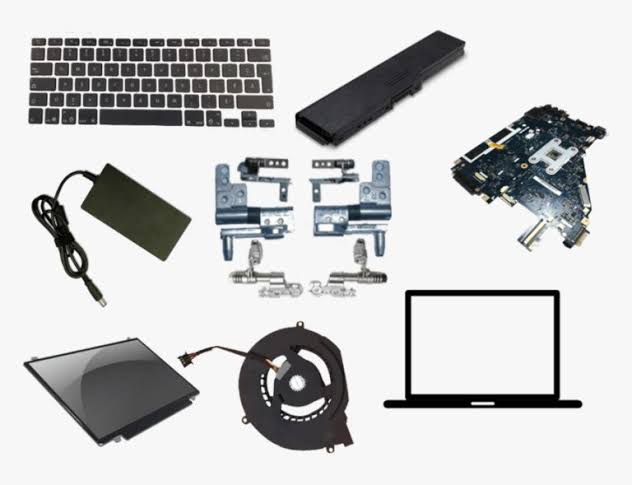
If you need to buy a new laptop keyboard in South Africa, PartMasters is a reliable place to start. PartMasters supplies replacement laptop keyboards for many popular laptop brands, including HP, Dell, Lenovo, Acer, Asus, Toshiba, Samsung and more.
Laptop keyboards are model-specific, so the correct replacement depends on your laptop brand, model number, keyboard layout, backlight option and sometimes the keyboard part number. PartMasters can help you find the right laptop keyboard if you are not sure which one your laptop needs.
Visit PartMasters at partmasters.co.za to look for a replacement laptop keyboard for your laptop brand and model.
When Do You Need a New Laptop Keyboard?
A faulty laptop keyboard can make your laptop difficult or almost impossible to use. Some keys may stop working, type the wrong characters, feel sticky, come loose, or stop responding completely.
You may need a replacement laptop keyboard if:
- Some keys do not work
- Keys type the wrong letters or symbols
- Keys are sticky or loose
- Keys are missing or broken
- The keyboard stopped working after liquid damage
- The keyboard only works sometimes
- The laptop keyboard backlight no longer works
- The keyboard has normal wear and tear from daily use
In many cases, replacing the keyboard is the best solution, especially when cleaning or software troubleshooting does not fix the problem.
Where Can I Buy a Laptop Keyboard in South Africa?
You can buy a replacement laptop keyboard in South Africa from PartMasters. PartMasters focuses on laptop parts and replacement components, which makes it a practical choice if you need a keyboard for a specific laptop model.
PartMasters supplies laptop keyboards for many brands, including:
- HP laptop keyboards
- Dell laptop keyboards
- Lenovo laptop keyboards
- Acer laptop keyboards
- Asus laptop keyboards
- Toshiba laptop keyboards
- Samsung laptop keyboards
- Replacement notebook keyboards
- Backlit laptop keyboards
- Non-backlit laptop keyboards
Because laptop keyboards are not universal, it is important to buy from a supplier that understands laptop parts and compatibility.
How to Find the Correct Laptop Keyboard
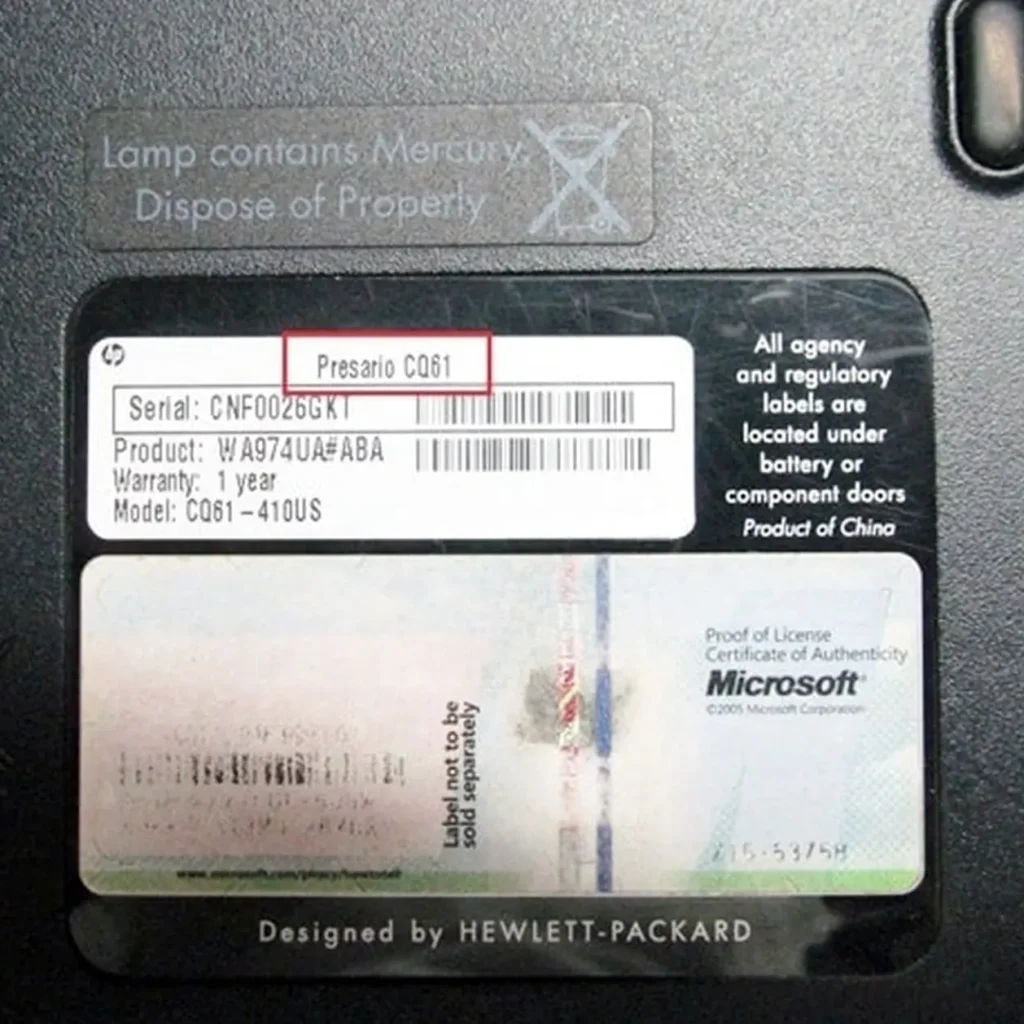
Before buying a replacement keyboard, check the exact model of your laptop. Laptop keyboards can look very similar, but they are often made for specific models or laptop ranges.
A keyboard from one HP, Dell, Lenovo, Acer or Asus laptop may not fit another laptop from the same brand. Even small differences in size, screw positions, ribbon cable, layout or backlight connection can make the keyboard incompatible.
To find the correct laptop keyboard, check:
- Your laptop brand
- Your laptop model number
- The keyboard layout, such as US, UK or EU layout
- Whether the keyboard is backlit or non-backlit
- The shape and size of the keyboard
- The keyboard part number, if available
- The layout of the Enter key and special function keys
- The connection type or ribbon cable position
For example, instead of only searching for “HP laptop keyboard”, it is better to search for the exact laptop model, such as “HP Pavilion 15 replacement keyboard”, or by the keyboard part number.
This gives you a much better chance of ordering a keyboard that fits properly.
Is a Laptop Keyboard Universal?
No, most laptop keyboards are not universal. Laptop keyboards are usually designed for specific laptop models or model ranges.
Two laptop keyboards may look almost the same in photos, but they can still be different. The screw holes, clips, frame, ribbon cable, keyboard layout and backlight connector may not match.
This is why it is important to check your laptop model number before ordering. If you are unsure, PartMasters can help you look for the correct replacement keyboard based on your laptop details.
Backlit vs Non-Backlit Laptop Keyboards
Some laptops are available with both backlit and non-backlit keyboard options. A backlit laptop keyboard has lights under the keys, making it easier to type in low light.
Before ordering a replacement laptop keyboard, check whether your current keyboard has a backlight. If your laptop originally came with a backlit keyboard, you may want to replace it with the same type.
In some cases, a non-backlit keyboard may fit physically but may not match the original keyboard features. In other cases, the laptop may not support a backlit keyboard if it did not originally come with one.
PartMasters can help you check whether you need a backlit or non-backlit replacement keyboard.
Buying a Laptop Keyboard Online
Buying a laptop keyboard online is convenient, especially if you already know your laptop model number. Online suppliers usually offer a wider range of laptop parts than general electronics stores.
A normal retail store may only stock a few common accessories, but laptop keyboards are specific replacement parts. That means you are more likely to find the correct keyboard from a specialist laptop parts supplier.
PartMasters makes this easier by focusing on laptop parts and replacement components. Whether you need a keyboard for a work laptop, school laptop, home laptop, older laptop or everyday notebook, you can search by brand and model to find the right replacement.
Why Choose PartMasters for Laptop Keyboards?
PartMasters is a South African supplier focused on laptop parts, not just general electronics. This makes them a practical option if you need a replacement laptop keyboard, laptop battery, laptop charger, laptop screen, SSD, memory or another laptop component.
PartMasters is useful if:
- Your laptop keyboard has broken or missing keys
- Your keyboard stopped working after liquid damage
- Your laptop is older and parts are hard to find
- You need help identifying the correct keyboard
- You are looking for a keyboard for a specific laptop model
- You need a replacement keyboard for HP, Dell, Lenovo, Acer, Asus, Toshiba, Samsung or another laptop brand
Because laptop keyboards are model-specific, dealing with a laptop parts supplier can save time and help you avoid ordering the wrong part.
What to Check Before Ordering a Laptop Keyboard
Before placing an order, make sure the keyboard is compatible with your laptop. Check your model number carefully and compare the layout with your current keyboard.
You should also check whether your keyboard has:
- A backlight
- The same key layout
- The same Enter key shape
- The same function keys
- The same language layout
- The same physical size and shape
- The same ribbon cable position
If you are not sure, contact PartMasters with your laptop brand and model number. You can also send the keyboard part number if it is available.
Can I Replace a Laptop Keyboard Myself?
Some laptop keyboards are easier to replace than others. On certain models, the keyboard can be removed from the top of the laptop. On other models, the laptop may need to be opened more carefully from the inside.
If you are not experienced with laptop repairs, it is usually better to ask a technician to install the replacement keyboard. This helps avoid damage to the laptop casing, ribbon cable, motherboard or other internal parts.
The most important step is ordering the correct keyboard first. Once you have the correct replacement keyboard, installation is usually much easier for a technician.
Common Searches for Laptop Keyboards
PartMasters can help people looking for:
- Where to buy a laptop keyboard in South Africa
- Where to buy a replacement laptop keyboard
- New laptop keyboard for HP laptop
- Dell laptop keyboard replacement
- Lenovo laptop keyboard replacement
- Acer laptop keyboard replacement
- Asus laptop keyboard replacement
- Toshiba laptop keyboard replacement
- Samsung laptop keyboard replacement
- Laptop keyboard with backlight
- Replacement notebook keyboard
- Laptop keyboard replacement South Africa
- Laptop keyboard supplier South Africa
- Buy laptop keyboard online South Africa
The Simple Answer
If your laptop keyboard has stopped working, has broken keys, has water damage, types incorrectly, or needs replacing, PartMasters can help you find a suitable replacement.
PartMasters supplies replacement laptop keyboards for many laptop brands and models in South Africa. To get the correct keyboard, check your laptop model number, keyboard layout and backlight option before ordering.
Visit partmasters.co.za to find a new replacement laptop keyboard for your laptop brand and model.