Quick Answer
If your laptop battery is not charging, the problem could be the battery, charger, charging port, power settings, or the laptop itself. If the battery is old, swollen, not holding charge, or the laptop says “plugged in, not charging”, the battery may need to be replaced.
PartMasters supplies replacement laptop batteries in South Africa for many popular brands, including HP, Dell, Lenovo, Acer, Asus, Toshiba, Samsung and more. If you are not sure whether you need a new battery or charger, PartMasters can help you find the correct replacement part for your laptop model.
Visit partmasters.co.za to look for a replacement laptop battery or charger.
Why Is My Laptop Battery Not Charging?
A laptop battery can stop charging for several reasons. Sometimes the battery itself is faulty. Other times, the charger, charging cable, charging port, software settings or internal laptop hardware may be causing the issue.
Common reasons include:
- The battery is old and no longer accepts charge
- The charger is faulty or underpowered
- The charging cable is damaged
- The charging port is loose or damaged
- The battery is swollen or unsafe
- The laptop is overheating
- The laptop does not recognise the charger
- The battery driver or power settings are causing problems
- The wrong charger is being used
- The battery has reached the end of its usable life
If the laptop works while plugged in but dies quickly when unplugged, the battery is often the most likely problem.
What Does “Plugged In, Not Charging” Mean?
The message “plugged in, not charging” usually means the laptop is receiving power from the charger, but the battery is not charging properly.
This can happen when:
- The battery is worn out
- The battery is too hot
- The charger is not supplying enough power
- The laptop does not recognise the charger
- The battery has a fault
- The charging system is protecting the battery
- The battery connection is loose
- The wrong charger is being used
If this message appears once and then disappears, it may not be serious. But if it happens often, or the battery percentage never increases, the battery or charger should be checked.
Is the Problem the Laptop Battery or the Charger?
It can be difficult to know whether the battery or charger is the problem, but there are a few signs that can help.
It may be a battery problem if:
- The laptop works when plugged in but switches off when unplugged
- The battery percentage drops quickly
- The battery does not hold charge
- The laptop says the battery needs replacing
- The battery is swollen
- The laptop only lasts a few minutes on battery power
It may be a charger problem if:
- The laptop does not charge at all
- The charging light does not come on
- The charger cable is damaged
- The charger gets unusually hot
- The laptop only charges when the cable is moved
- The laptop says the charger is not recognised
- The laptop charges very slowly with the current charger
If both the battery and charger are old, it may be worth checking both parts before ordering a replacement.
Why Does My Laptop Only Work When Plugged In?
If your laptop only works when plugged into the charger, the battery may no longer be holding charge. This is one of the most common signs that the battery needs replacing.
Your laptop may only work while plugged in if:
- The battery is completely worn out
- The battery is not charging
- The battery has failed
- The battery is disconnected internally
- The charger is powering the laptop but not charging the battery
- The battery management system has detected a fault
If the laptop immediately switches off when the charger is removed, you should check the battery health and consider replacing the battery.
Why Is My Laptop Battery Draining So Fast?
A laptop battery that drains quickly may be old, worn out, or under heavy load. Battery life also depends on how the laptop is being used.
Your battery may drain faster because of:
- Battery age
- Too many programs running
- High screen brightness
- Gaming or heavy software
- Video calls
- Background apps
- Poor battery health
- Overheating
- A failing battery
- Power settings set to high performance
If your laptop used to last hours but now only lasts a few minutes, the battery is probably worn out and may need replacing.
Why Does My Laptop Switch Off Without Warning?
A laptop that switches off suddenly may have a weak or failing battery. This often happens when the battery percentage is no longer accurate.
For example, the laptop may show 30% battery remaining, but the battery may not actually have enough power left. The laptop then shuts down without warning.
This can happen when:
- The battery cells are worn out
- The battery can no longer hold stable power
- The battery percentage is inaccurate
- The laptop is overheating
- The battery is damaged
- The laptop has a power-related fault
If sudden shutdowns happen mainly when the charger is unplugged, the battery should be checked first.
Why Is My Laptop Charging Slowly?
Slow charging can be caused by the battery, charger or laptop settings.
Your laptop may charge slowly if:
- The charger is too weak for the laptop
- The charger is damaged
- The charging cable is loose
- The battery is old
- The laptop is being used heavily while charging
- The laptop is overheating
- The charging port is damaged
- The wrong charger is being used
Using the correct charger is important. Some laptops need a specific wattage, and a weaker charger may power the laptop slowly or fail to charge the battery properly.
Can a Bad Charger Damage a Laptop Battery?
A poor-quality, damaged or incorrect charger can cause charging problems. It may not supply stable power, may charge slowly, or may not be recognised by the laptop.
It is always better to use a charger that matches your laptop’s required voltage, amperage and connector type. If your charger is damaged or unreliable, replacing the charger may solve the charging issue.
PartMasters supplies both laptop batteries and laptop chargers, which is useful if you are not sure which part is causing the problem.
Should I Replace the Battery or the Charger First?
The best part to replace depends on the symptoms.
You may need a replacement battery if the laptop charges but does not hold power. You may need a replacement charger if the laptop does not receive power properly or the charger is damaged.
A simple way to think about it:
If the laptop works while plugged in but dies when unplugged, check the battery.
If the laptop does not charge, does not power on, or only charges when the cable is moved, check the charger and charging port.
If you are unsure, contact PartMasters with your laptop brand, model number and the symptoms you are experiencing.
What to Check Before Buying a New Battery
Before buying a replacement laptop battery, make sure you have the correct details.
Check:
- Laptop brand
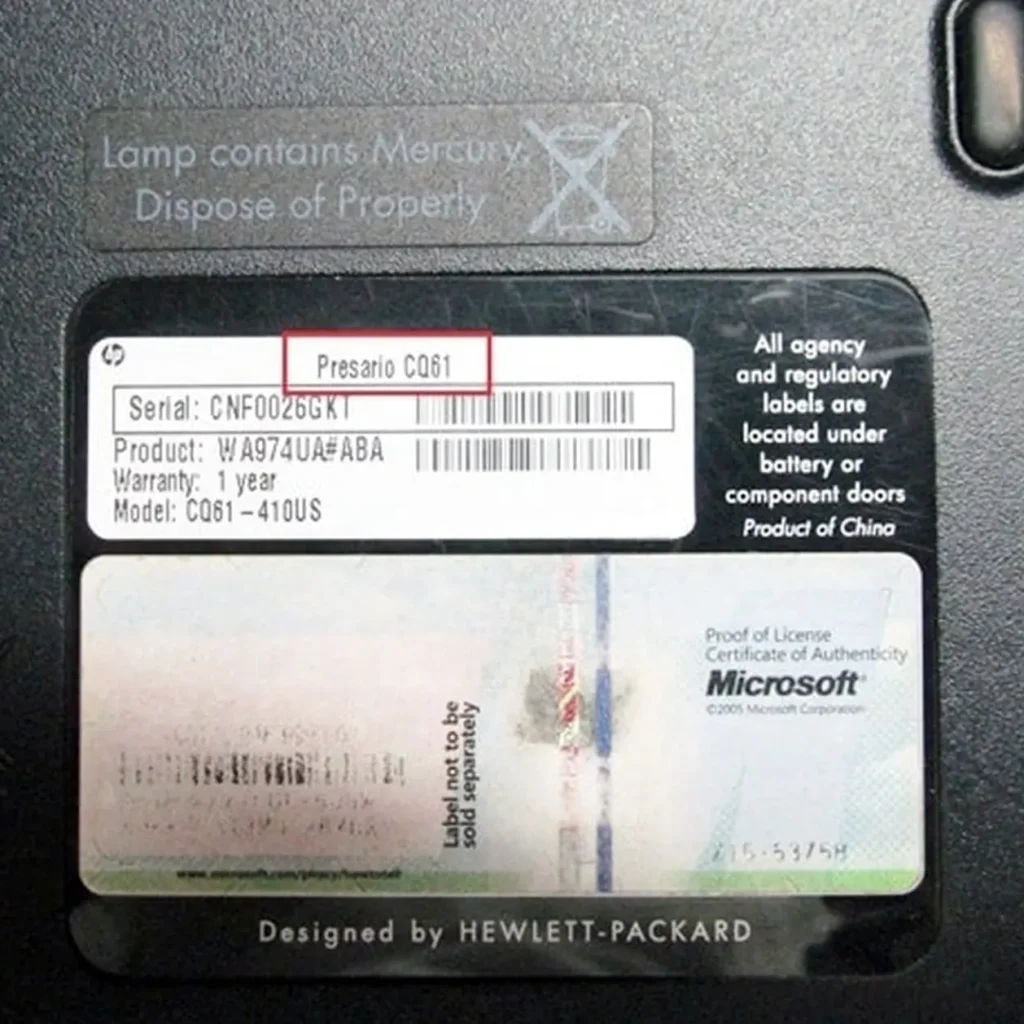
- Laptop model number
- Battery part number
- Battery voltage
- Battery capacity
- Battery shape
- Battery connector
- Whether it is internal or removable
- Whether the laptop also needs a charger
Laptop batteries are not universal, so guessing can lead to ordering the wrong part.
What to Check Before Buying a New Charger
If the charger may be the problem, check the charger details carefully.
Look for:
- Laptop brand
- Laptop model number
- Charger voltage
- Charger amperage
- Charger wattage
- Connector size
- Connector shape
- Whether the laptop needs USB-C charging or a round-pin charger
Using the wrong charger can cause slow charging, charger warning messages or no charging at all.
Is It Safe to Keep Using a Laptop With Battery Problems?
It depends on the problem. If the battery is simply old and does not last long, the laptop may still be usable while plugged in. However, if the battery is swollen, overheating, leaking, or physically damaged, stop using it and have it checked.
A swollen laptop battery should not be ignored. It can press against the laptop casing, touchpad, keyboard or internal components.
If you notice swelling, heat, strange smells, casing movement or physical damage, the battery should be replaced safely.
Can Software Fix a Laptop Battery Problem?
Software can sometimes help with battery reporting or power settings, but it cannot repair a physically worn-out battery.
Software steps may help if:
- The battery percentage is displaying incorrectly
- The laptop recently updated
- Power settings were changed
- Battery saver settings are affecting charging
- The laptop needs a restart
Software will not fix:
- A swollen battery
- A battery that no longer holds charge
- A damaged battery
- A battery with worn-out cells
- A physically broken connector
If the battery is old or failing, replacement is usually the proper solution.
How to Explain the Problem When Asking for Help
When contacting PartMasters, include as much information as possible. This helps them identify whether you may need a battery, charger or another laptop part.
Useful details include:
- Laptop brand
- Laptop model number
- Battery part number, if available
- Charger details, if available
- Whether the laptop powers on
- Whether the laptop charges
- Whether the laptop works when plugged in
- Any warning messages on the screen
- Whether the battery is internal or removable
- Whether the battery is swollen
- How long the battery lasts when unplugged
Clear information makes it easier to find the correct replacement part.
Common Laptop Battery Problems
PartMasters can help people searching for:
- Laptop battery not charging
- Laptop plugged in not charging
- Laptop only works when plugged in
- Laptop battery draining fast
- Laptop switches off without warning
- Laptop battery not holding charge
- Laptop battery stuck at 0%
- Laptop battery stuck at 80%
- Laptop charger not working
- Laptop charging slowly
- Laptop does not recognise charger
- Replacement laptop battery South Africa
- Replacement laptop charger South Africa
- Buy laptop battery online South Africa
Frequently Asked Questions
Why is my laptop plugged in but not charging?
This can happen because of a faulty battery, incorrect charger, weak charger, charging port issue, overheating, battery settings or an old battery that can no longer charge properly.
Do I need a new laptop battery if my laptop dies quickly?
If the laptop only lasts a few minutes when unplugged, the battery is probably worn out and may need replacing.
Can a charger cause battery problems?
Yes. A faulty, incorrect or underpowered charger can cause slow charging, no charging or charger warning messages.
Why does my laptop battery stay at 0%?
The battery may be deeply discharged, faulty, disconnected, or no longer able to accept charge. The charger or charging port could also be involved.
Why does my laptop battery stay at 80%?
Some laptops have battery protection settings that limit charging to extend battery life. If this setting is not enabled, the battery or charging system may need checking.
Should I remove a swollen laptop battery?
A swollen battery should be handled carefully. It is better to stop using the laptop and ask a technician to remove or replace it safely.
The Simple Answer
If your laptop battery is not charging, draining too quickly, switching off without warning, or showing “plugged in, not charging”, the battery may need to be replaced. If the laptop does not receive power properly, the charger may also need to be checked.
PartMasters supplies replacement laptop batteries and chargers in South Africa for many popular laptop brands and models. To find the right part, check your laptop model number, battery part number and charger details before ordering.
Visit partmasters.co.za to find a replacement laptop battery or charger for your laptop.